
Seeding
What is Seeding?
Seeding is a mechanism that allows certain players to skip early rounds and join from a later round. It's used to prevent top players from facing each other in early rounds or to adjust participant numbers.
Skip First Round (Basic)
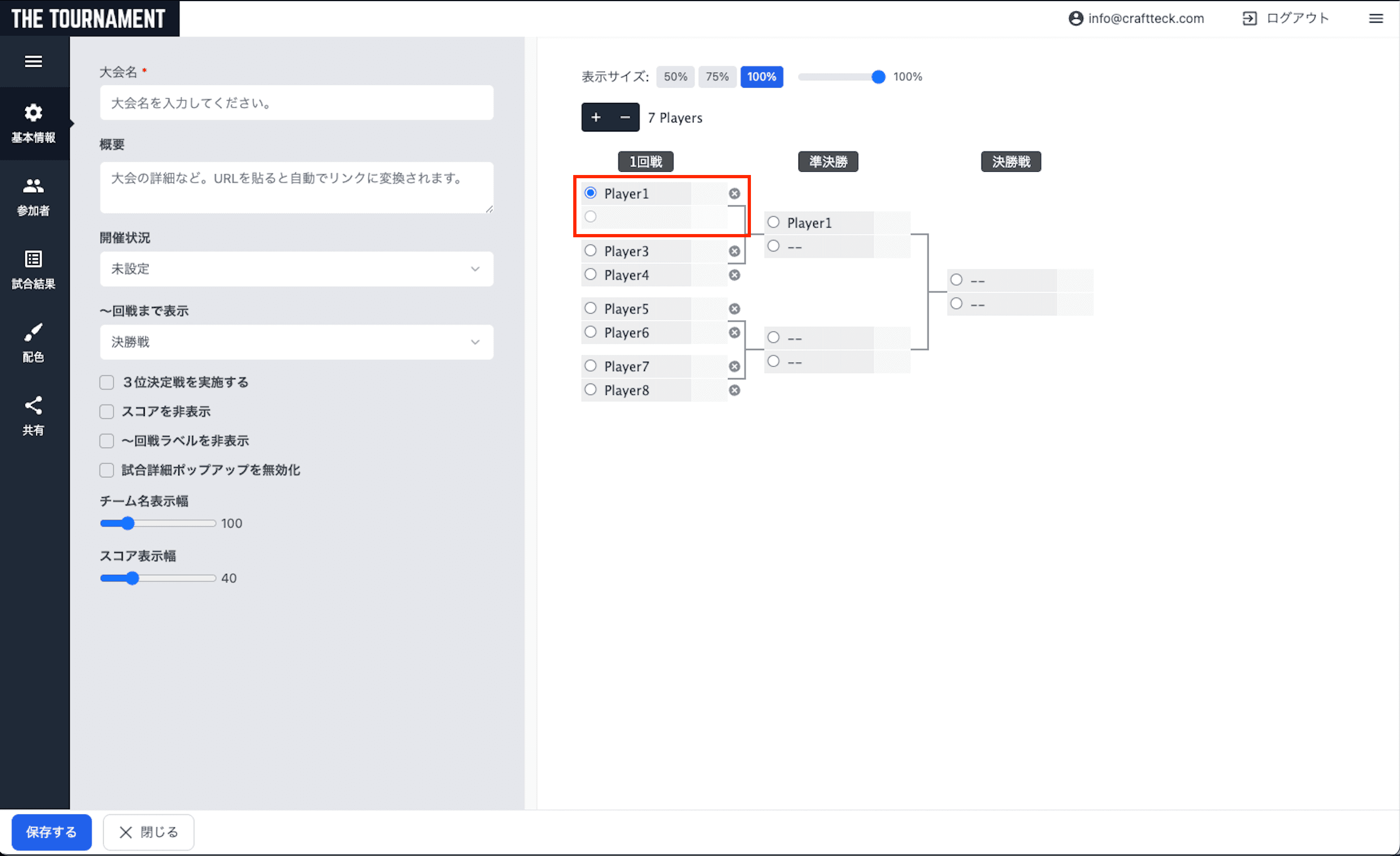
Basic seeding configuration where a player skips the first round and joins from the second round.
- Click on the seeded player's first-round opponent
- Clear the participant name and save
- The player with an empty opponent advances to the second round with a bye
Skip Multiple Rounds
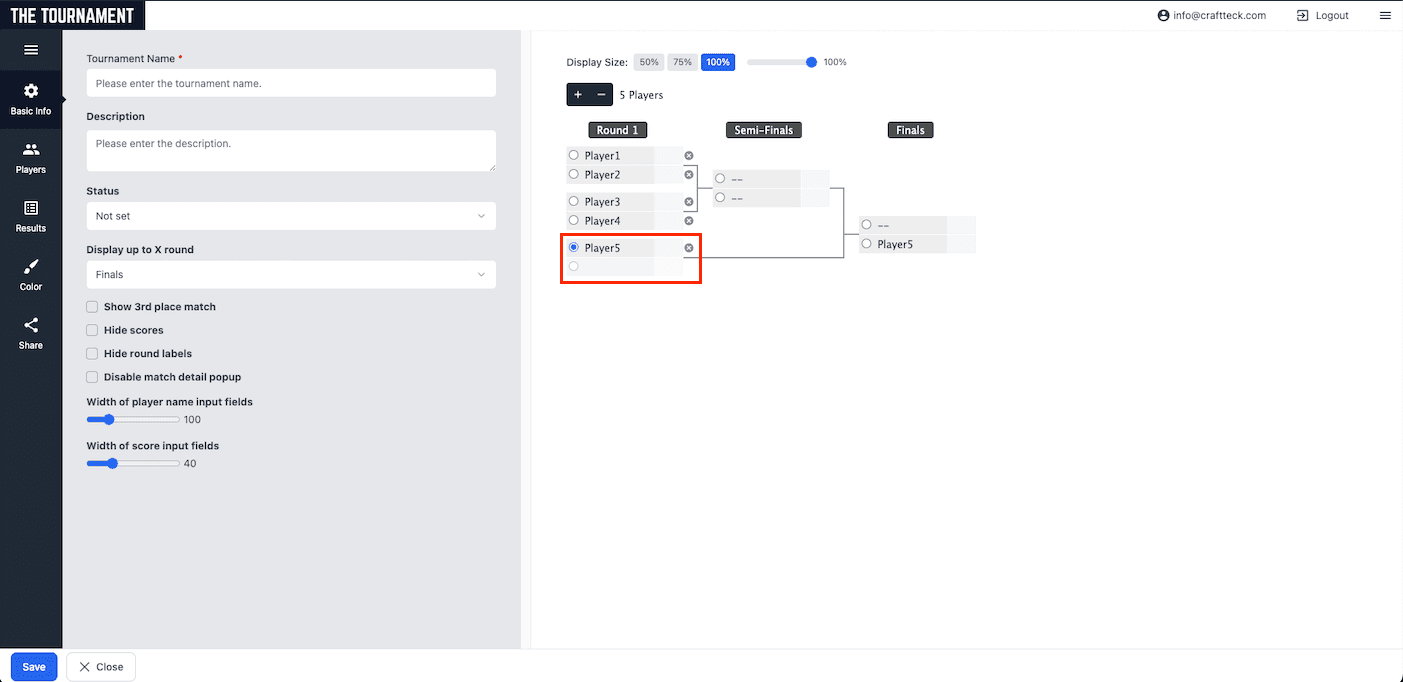
Configuration where a player skips multiple rounds, such as joining from the final round. In the example below, Player 6, Player 7, and Player 8 are all left empty, allowing Player 5 to join from the final round.
- Clear the seeded player's opponent (Player 6 in this example)
- Also clear the opponents in higher rounds (Player 7 and Player 8)
- Players with all opponents cleared will join from the round where their first opponent exists
Example: Creating a Losers Bracket
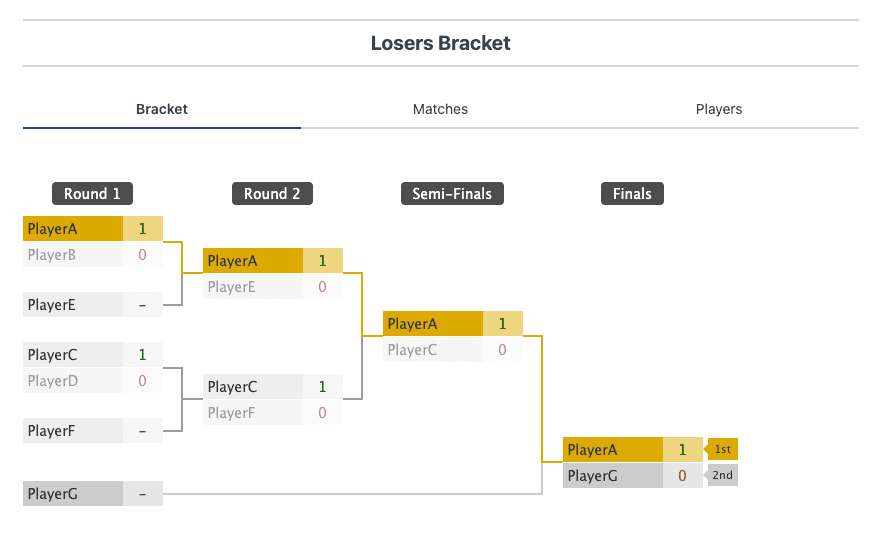
In a double elimination losers bracket, players with different seed levels are mixed. Here we explain how to create a 7-player losers bracket.
Example: 7-Player Losers Bracket
A losers bracket structure with 3 different seed levels.
- Players A, B, C, D (4 players): No seed → Join from Round 1
- Players E, F (2 players): Round 1 seed → Join from Round 2
- Player G (1 player): Round 2 seed → Join from Finals
Creation Steps
- Create a new 16-player tournament bracket
- Enter participants in this order: Player A, Player B, Player E, blank, Player C, Player D, Player F, blank, Player G, blank...
- Non-seeded players (A, B, C, D) are placed with their opponents
- Round 1 seed players (E, F) are placed with blank opponents
- Round 2 seed player (G) is placed with multiple blank opponents
Tips
- Use the shuffle feature to randomize placements
- In simple input mode, inserting blank lines creates seeds